June 10, 2026
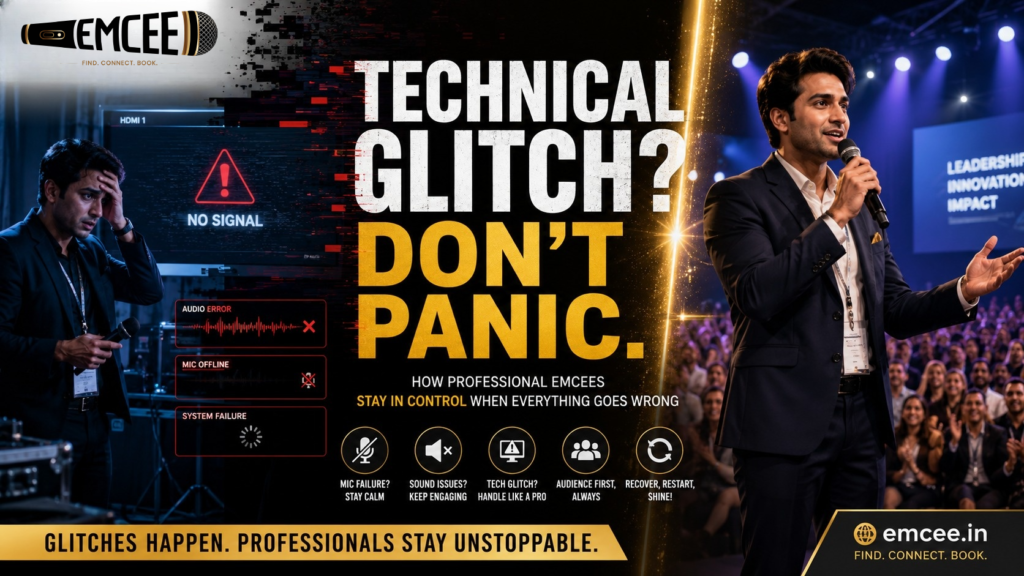
How to Handle Technical Glitches During Anchoring (Without Panic)
SEO Keywords: professional emcee tips, microphone failure during anchoring, technical glitches at events, event hosting tips, public speaking confidence, emcee training India, live event management, stage hosting guide
Technical Problems Don’t Ruin Events — Panic Does
Every emcee eventually faces it.
You’re halfway through an energetic introduction. The audience is engaged. The performers are ready backstage. You build anticipation, announce the next act, and suddenly…
The microphone dies.
The music doesn’t play.
The presentation freezes.
The LED wall goes black.
Welcome to the reality of live events.
Whether you’re hosting a school annual day, a college fest, a corporate conference, a wedding reception, or a large-scale entertainment show, technical glitches are not rare accidents—they are part of the job.
The audience rarely remembers the technical issue itself.
They remember how the host handled it.
The difference between a beginner and a professional emcee isn’t avoiding problems. It’s maintaining control when things go wrong.
Here’s how experienced hosts manage technical failures without losing audience trust, energy, or confidence.
🚫 1. Follow The “No Tap” Protocol When The Mic Dies
One of the biggest mistakes new anchors make is immediately tapping, shaking, or blowing into a microphone.
You’ve seen it before:
“Hello? Hello? Mic testing? Testing 1, 2, 3?”
Not only does it look amateur, but if the audio suddenly returns, it can blast an unpleasant sound through the speakers and disrupt the entire event.
What Professional Emcees Do Instead
The moment your microphone cuts out:
- Stop speaking.
- Maintain eye contact with the audience.
- Smile naturally.
- Check the mute switch discreetly.
- Move calmly toward a backup microphone or podium mic.
The audience takes emotional cues from you.
If you appear relaxed, they assume everything is under control.
If you look worried, they start focusing on the problem instead of the event.
Professional Rule: Never let the audience see your stress before they see your solution.
🗣️ 2. Use Your “Theater Voice” When Technology Fails
Not every venue requires amplification.
In schools, seminar halls, classrooms, and smaller auditoriums, your natural voice can often carry further than you think.
How To Do It
- Stand tall.
- Take a deep breath from your diaphragm.
- Project your voice from your chest—not your throat.
- Speak slowly and clearly.
A simple line can instantly win over the audience:
“Looks like our microphone decided to take a short break. Can everyone in the last row still hear me?”
When the audience responds with a loud “Yes!”
You have already transformed a technical failure into a moment of connection.
Why This Works
People admire confidence under pressure.
A host who can command a room without technology instantly earns credibility.
😂 3. Use Humor To Protect The Performers
The most uncomfortable technical glitch usually happens before a performance.
A dance team is waiting.
A fashion show lineup is ready.
The crowd expects music.
And…
Nothing happens.
Dead silence.
This is where a great emcee becomes invaluable.
The Golden Rule
Never let performers absorb the embarrassment.
Take control immediately.
Try lines like:
“You all are bringing so much energy tonight that our sound system needed a moment to catch its breath!”
Or:
“Even the DJ is too excited about this performance and forgot to press play!”
Or:
“Let’s give our technical team ten seconds and a huge round of applause—they’re working harder than anyone in the room right now.”
Humor redirects attention.
Instead of focusing on what’s broken, the audience focuses on your personality and the upcoming performance.
⏳ 4. Become The Entertainment During Delays
Some technical issues take longer.
A laptop may need restarting.
A projector may stop responding.
An HDMI cable might fail.
A power outage may require troubleshooting.
If the delay exceeds two minutes, silence becomes dangerous.
This is when professional emcees switch from host mode into crowd-engagement mode.
Crowd Engagement Ideas
Department Challenge
“Let’s settle something while we wait. Which department has the loudest students tonight?”
Audience Poll
“Quick show of hands—who’s attending this event for the first time?”
Fun Interview
Walk into the audience and ask:
“Who has been your favorite performer so far?”
Quick Quiz
Ask trivia related to:
- The institution
- The company
- The event theme
- National celebrations
- Popular culture
These moments keep the audience occupied while giving the technical team time to solve the problem.
🔄 5. Master The Smooth Restart
One of the biggest mistakes anchors make after a technical issue is over-apologizing.
Avoid this:
“Sorry everyone, sorry for the inconvenience, sorry for the delay…”
The audience already moved on.
Don’t remind them.
Professional Restart Script
Instead say:
“And we’re back!”
“The system is ready, the energy is ready, and we’re ready to continue.”
“Let’s hear it for our technical team and jump right back into the action!”
A confident restart restores momentum immediately.
The event continues without feeling interrupted.
The Psychology Of Staying Calm On Stage
Technical failures are rarely remembered.
Your reaction is.
When a microphone stops working, the audience doesn’t think:
“This event is ruined.”
They think:
“Let’s see how the host handles this.”
That’s your moment.
Professional emcees understand that stage presence is tested most during unexpected situations.
Anyone can read a script when everything works perfectly.
The true skill of an anchor appears when things don’t.
The Anchor’s Final Rule
The audience follows your emotional lead.
If the projector crashes and you panic, the room becomes uncomfortable.
If the projector crashes and you smile, the room stays relaxed.
If the music fails and you engage the audience, the delay becomes part of the experience.
Remember:
Technology supports an event.
The emcee leads it.
Own the room.
Own the silence.
Own the unexpected.
And you’ll never lose control of a stage again.
Frequently Asked Questions
What should an emcee do if the microphone suddenly stops working?
Stay calm, avoid tapping the microphone, check the mute switch, and move confidently toward a backup microphone while maintaining audience engagement.
How do professional anchors handle technical issues?
Professional hosts use humor, audience interaction, and confident body language to keep energy high while technical teams resolve the problem.
Should I apologize when there is a technical glitch?
A brief acknowledgment is enough. Excessive apologies draw more attention to the problem and reduce audience confidence.
What is the most important skill during a technical failure?
Remaining composed. The audience judges your reaction more than the actual issue.
Can a technical problem ruin an event?
Rarely. Poor handling of a technical problem is what damages audience experience. A skilled emcee can turn a glitch into an engaging moment.
Need a Professional Host For Your Next Event?
Browse verified corporate anchors, wedding emcees, school event hosts, and live event professionals across India on Emcee.in.